
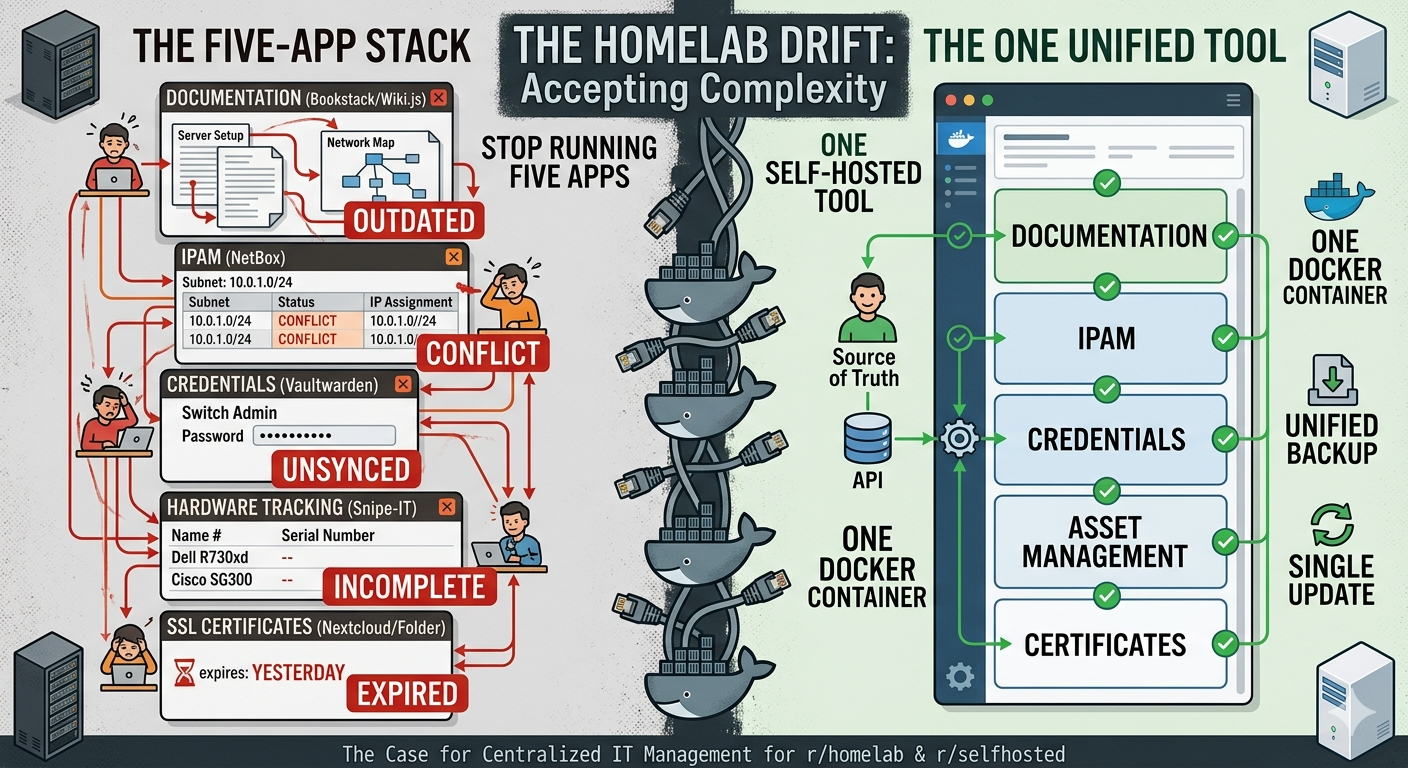
If you’ve spent any time on r/homelab or r/selfhosted, you know the stack. Bookstack or Wiki.js for documentation. NetBox for IP address management. Vaultwarden for credentials. Snipe-IT for hardware tracking. Maybe a Nextcloud folder for SSL certs because you keep forgetting when they expire. Five apps. Five Docker containers. Five things to update, back up, and keep from drifting out of sync with each other.
Nobody set out to build that stack. It grew one problem at a time. And most people just accept it.
This article makes the case that you don’t have to.
The Fragmented Homelab Stack
The reason homelabs end up with so many documentation tools is that each one solves a real problem extremely well in isolation. NetBox is genuinely excellent IPAM. Vaultwarden is a solid credential store. Snipe-IT handles hardware inventory better than most enterprise tools. The problem isn’t quality — it’s the gaps between them.
Your switch lives in NetBox. The admin password for that switch lives in Vaultwarden. The runbook for rebooting it lives in Bookstack. The SSL cert for the management interface expires in three months, and that fact lives nowhere — or in a calendar reminder you’ll probably dismiss.
When something breaks at 11pm, you’re context-switching across four browser tabs to reconstruct what should be a single coherent picture of your infrastructure. That’s the real cost of the fragmented stack.
What an All-in-One Actually Gives You
The argument for consolidation isn’t just fewer containers. It’s that relationships between things matter more than the things themselves.
A network subnet isn’t just a range of IPs — it’s also the router credentials you need to log into it, the assets assigned to it, and the article explaining how you set it up. When all of that lives in one data model, those connections are navigable. When it’s split across four apps, they exist only in your head.
This is the problem that commercial MSP tools like IT Glue and Hudu solved for managed service providers years ago. What’s been missing is a self-hosted, open-source version built for people who want the same power without the per-seat pricing or the vendor lock-in.
How Weavestream Covers the Stack
Weavestream is a free, self-hosted IT documentation platform licensed under AGPL-3.0. It runs on Docker, backs everything to Postgres, and ships all of the following in a single deployment:
Knowledge base and documentation. A full article editor with rich text, code blocks, and internal linking. Write your runbooks, SOPs, and setup notes once and link them to the assets they describe.
Asset management with custom layouts. Define your own asset types — servers, switches, VMs, printers, whatever your homelab actually contains — with the fields that matter to you. Serial numbers, warranty dates, firmware versions, rack positions. No schema to hand-edit.
IP address management (IPAM). Track subnets, IP allocations, and VLANs without standing up a dedicated tool. The same interface that holds your server documentation also shows what’s assigned on your 10.0.1.0/24.
Credential vault. Store passwords, API keys, and secrets scoped to the asset or client they belong to, with role-based access control. The credentials for a device live with the device record — not in a separate app you have to tab over to.
Domain and SSL certificate monitoring. Point Weavestream at your domains and it tracks expiration dates and alerts you before they lapse. No more calendar reminders for cert renewals.
Audit log. Every change to every record is logged. For a homelab, that means you finally have an answer to “wait, when did I change that?”
All of this ships behind a client portal with RBAC — useful if you share access with family members, housemates, or the occasional friend you’ve roped into helping troubleshoot.
Getting Started
Weavestream is Docker-first. The quickstart is a docker-compose up away, and the deployment docs walk through TLS setup, environment configuration, and backup. There’s no license key to obtain, no account to create, and no per-seat cost regardless of how many users you add.
For a homelab context specifically, a single small VPS or a spare machine on your LAN is more than enough to run it. The Postgres database is the only stateful component, and the backup guide covers automated dumps.
The Bottom Line
The fragmented homelab stack isn’t a law of nature. It’s the result of solving problems one at a time with the best available tool for each — which, until recently, meant accepting the gaps between them.
If you want a single place where your infrastructure is documented, your IPs are tracked, your credentials are stored, your certs are monitored, and your assets have a home — that now exists, it’s free, and it’s self-hosted.