
Domain & SSL Monitoring
Weavestream monitors the health and expiry of any hostname you add. Checks run automatically in the background via the worker and results are aggregated in expiration dashboards.
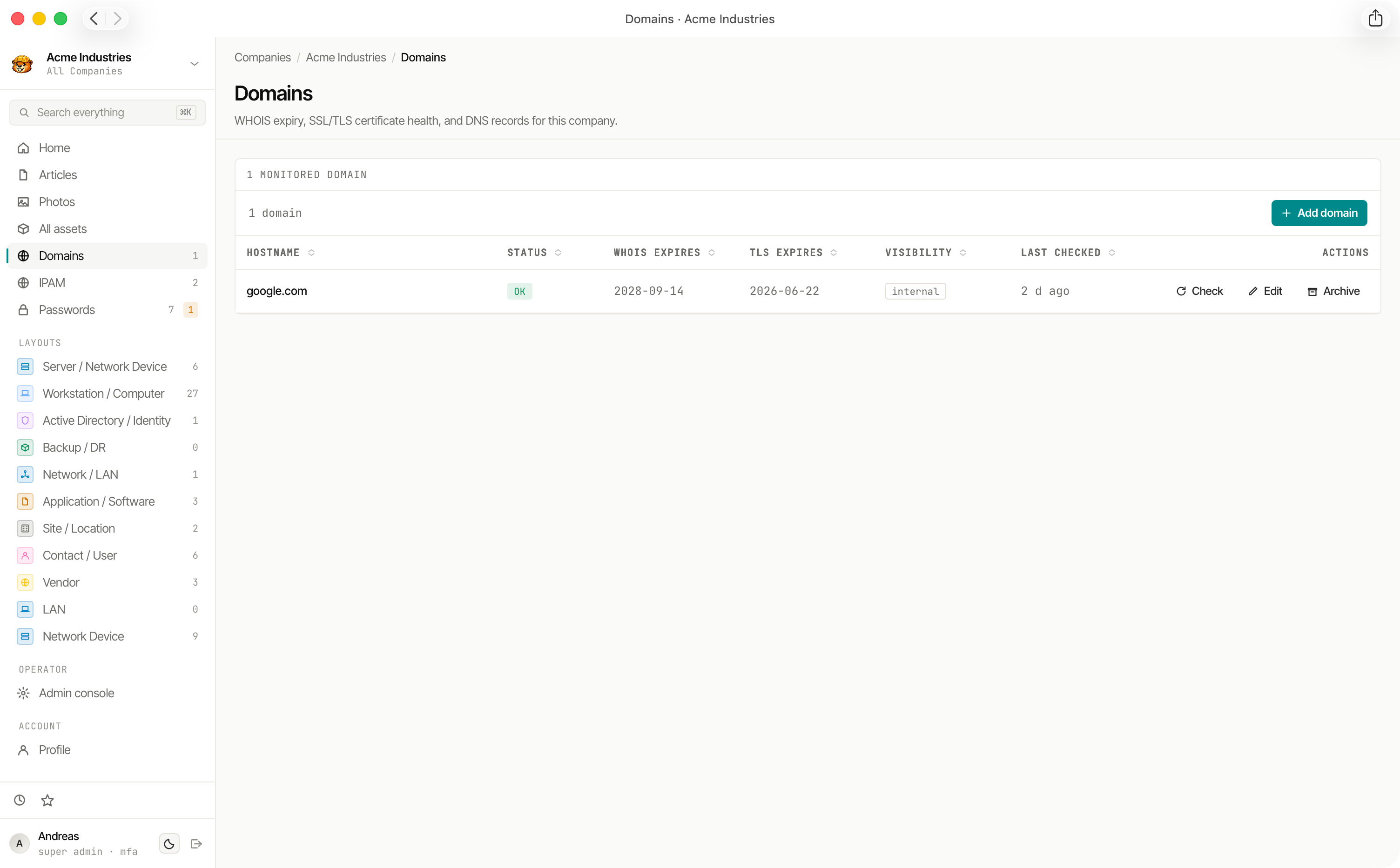
What Gets Checked
Each Monitored Domain runs three independent checks:
Each check produces a status:
- OK — healthy, within threshold
- WARN — approaching the configured expiry threshold
- FAIL — expired or invalid
- SKIP — check disabled or not applicable
Alert Thresholds
Each check has a configurable days-before-expiry threshold. When a domain crosses the threshold, its status changes to WARN. Set tighter thresholds for critical domains and looser ones for low-priority hostnames.
Domain Check History
Check results are stored as immutable DomainCheck records — one per check run per domain. This creates an append-only history you can review to understand how a domain's health changed over time.
Expiration Dashboard
Domain expirations (both WHOIS and TLS) roll up into the Expirations view at:
- Global —
/admin/expirations— all domains across all tenants - Per-tenant —
/admin/companies/[id]/expirations— domains for a single tenant
The dashboard also includes asset expiry dates and password expiry dates for a unified view of upcoming renewals.
Client Portal Visibility
Domains can be marked visibleToClients. When enabled, the domain and its check history appear in the client portal for that tenant's client users.
Background Processing
Domain checks run via BullMQ in the worker service. The schedule is configurable and checks are distributed across workers if you run multiple replicas.