
Key Concepts
Understanding a handful of terms makes the rest of the documentation click into place. This page covers the core entities and how they relate to each other.
Workspace
The Workspace is the singleton instance of Weavestream. There is one workspace per deployment. A SUPER_ADMIN configures it from Admin → Settings, setting:
- The workspace name and subtitle (shown in the sidebar)
- The tenant terminology — the word used everywhere for "tenant" (see below)
- Default password generator settings
The workspace has no bearing on data isolation; it is purely cosmetic configuration.
Tenant (Company)
A Tenant is the primary unit of data organisation in Weavestream. Everything — articles, assets, passwords, domains, uploads — belongs to exactly one tenant.
Tenants are represented in the database as Company records. The word shown in the UI is configurable by the operator (see Workspace Settings). Common choices:
Tenants can have a parent-child hierarchy (e.g. a parent organisation with subsidiary sites), though cycles are prevented.
Asset Layout
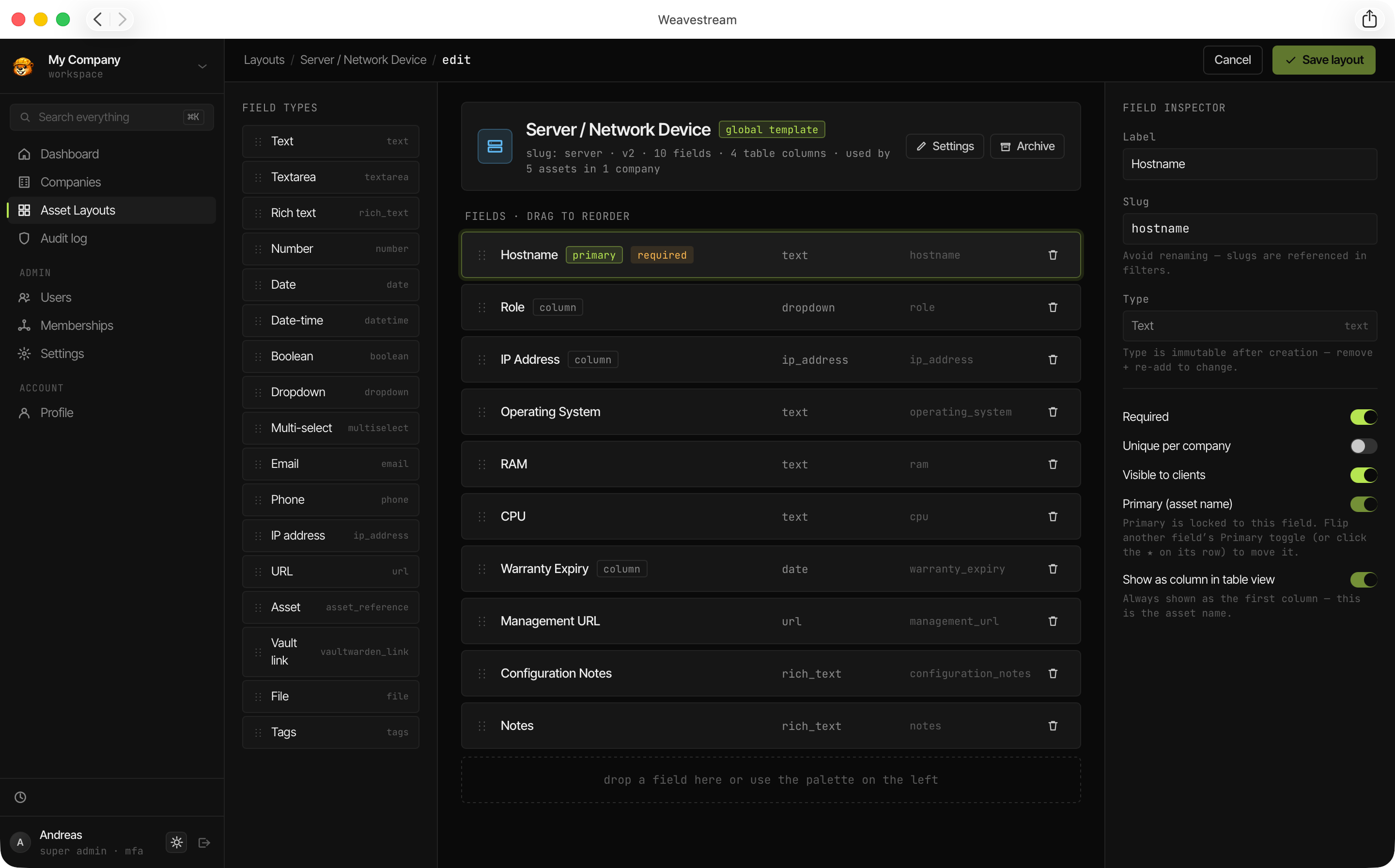
An Asset Layout is a global template that defines the fields available on a type of asset (e.g. Server, Workstation, Software License). Layouts are managed by SUPER_ADMIN users and shared across all tenants — individual tenants cannot create their own layouts.
Each layout has a name, an optional icon, and a set of fields (see
Asset
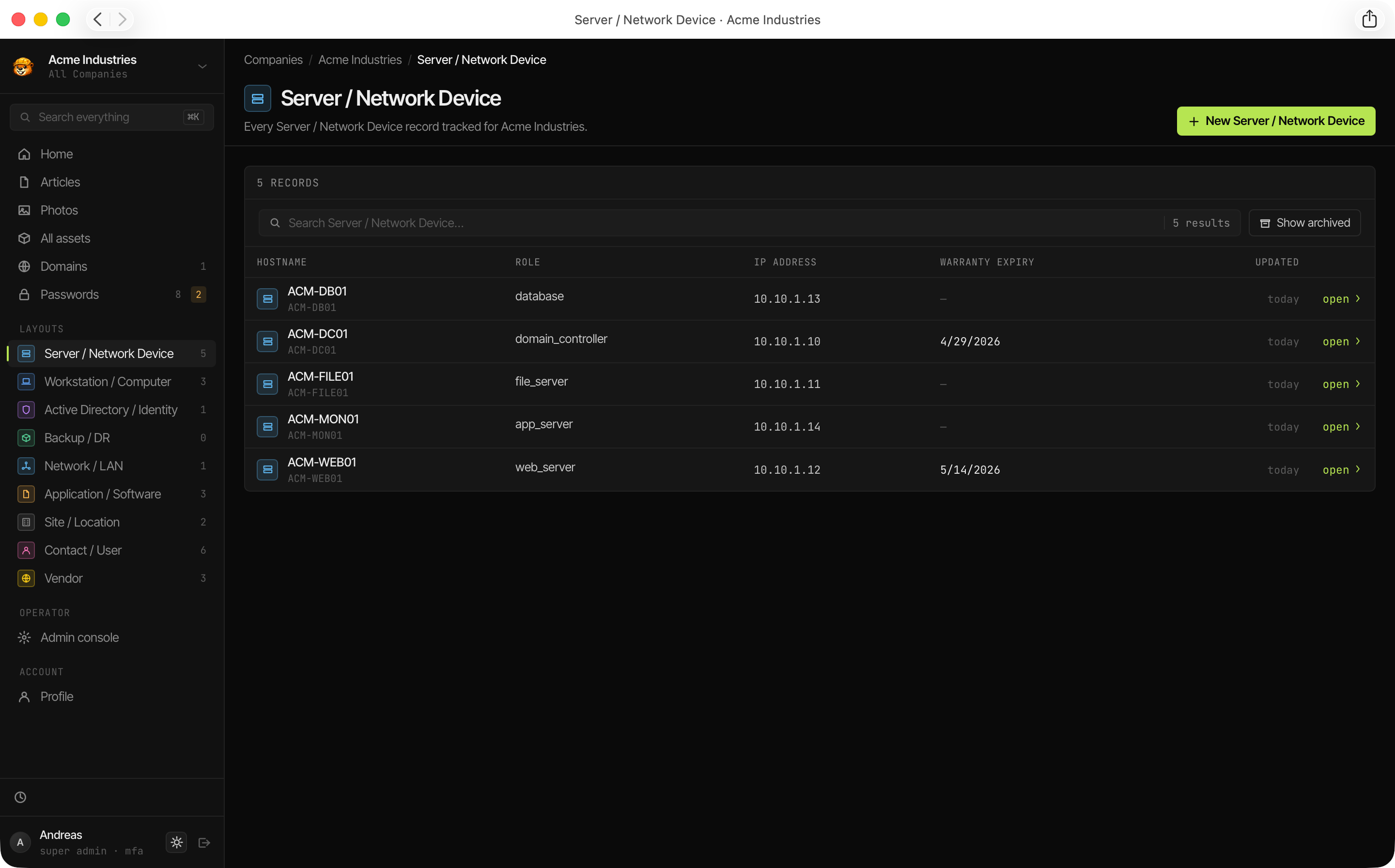
An Asset is a single instance of an Asset Layout, belonging to a specific tenant. For example, a layout called Server might have assets named web-01, db-01, backup-01.
Assets support:
- Soft-archive (historical records preserved)
- External ID tracking (for integrations)
- Embedded passwords (credentials linked directly to the asset)
- Cross-references to other assets via
ASSET_REFERENCEfields
Asset Field
A Field is one attribute on an Asset Layout. Weavestream supports 14 field types:
Fields have additional options: primary designation (highlighted in list views), table-column visibility, per-field client visibility (visibleToClients), and uniqueness constraints.
Article
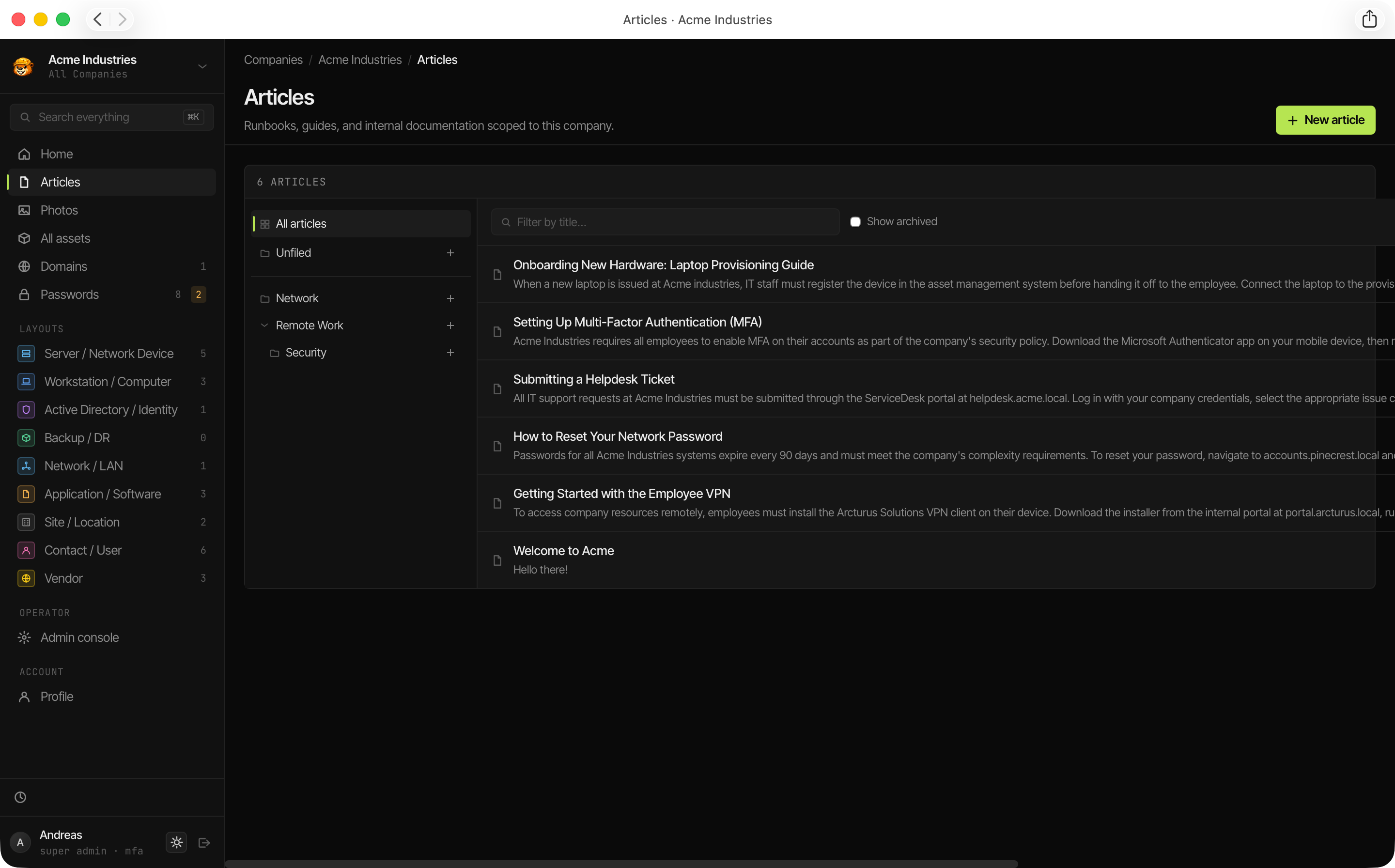
An Article is a rich-text documentation page belonging to a tenant. Articles are authored in the Tiptap editor (tables, images, code blocks, task lists) and organised into Folders.
Articles can be marked visibleToClients to expose them in the Client Portal.
Password
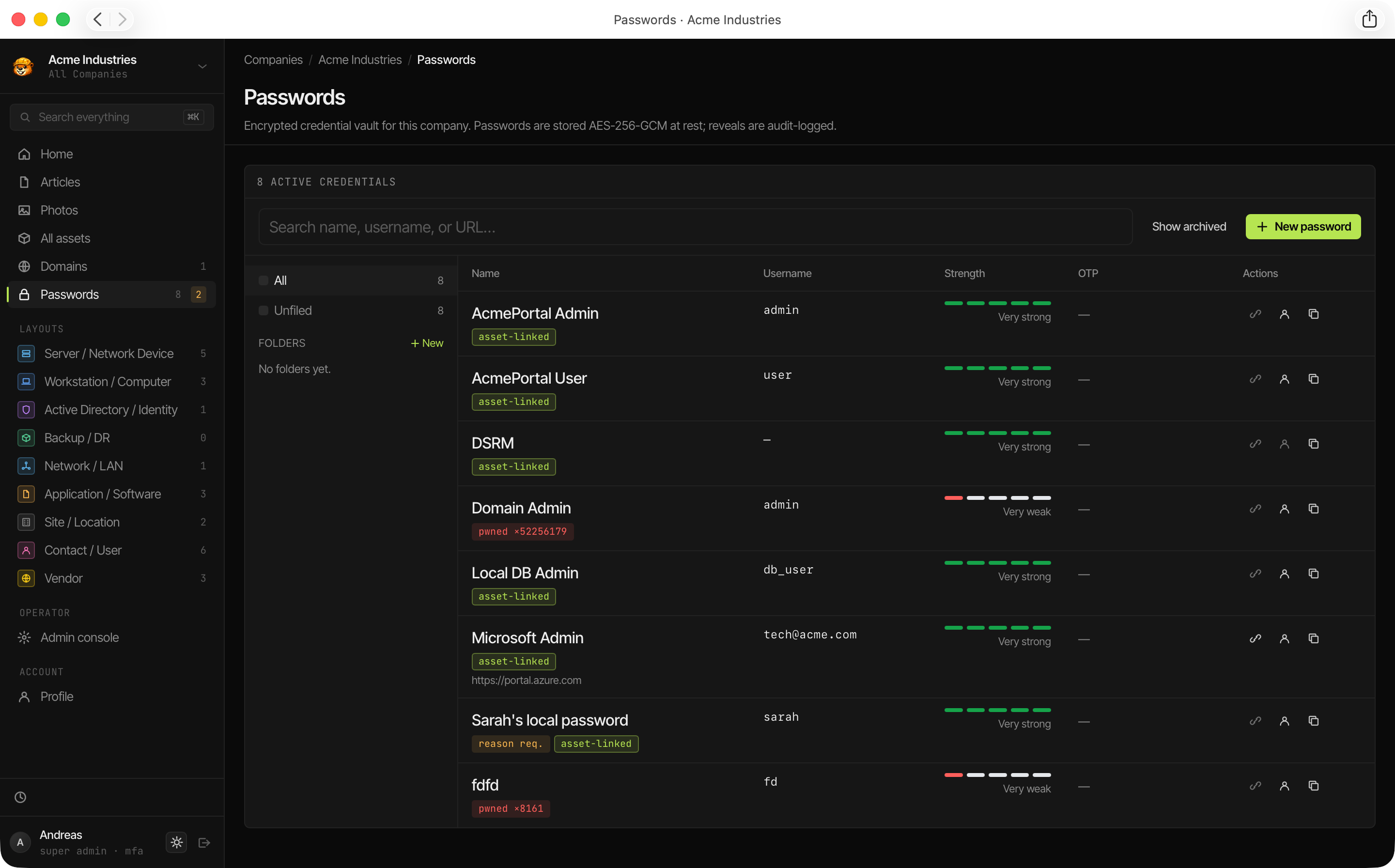
A Password is an encrypted credential record belonging to a tenant. Each password stores:
- Name, username, URL
- An AES-256-GCM encrypted secret (the password itself)
- An optional encrypted TOTP secret
- Rich-text or plain-text notes (also encrypted)
- Tags, expiry date, and access restrictions
Passwords maintain a full version history — every change is stored as an immutable PasswordVersion record.
Monitored Domain
A Monitored Domain is a hostname registered for health tracking. Weavestream checks three things per domain:
- WHOIS — domain registration expiry
- DNS — resolution validity
- TLS/SSL — certificate expiry and chain validity
Results are stored as immutable Domain Check records and rolled up in the expiration dashboard.
Upload
An Upload is a file stored in the tenant's directory on disk. Each tenant has an isolated directory (${FILE_STORAGE_DIR}/<tenantId>/). Uploads include images (with automatic thumbnail generation), PDFs, documents, archives, and scripts.
Membership
A Membership ties a user to a tenant with a specific role. Users can hold memberships in multiple tenants simultaneously.
Session
A Session is a server-side record tracking an authenticated login. Sessions store the user's IP address, user-agent, creation timestamp, and expiry. Revocation is immediate — no offline tokens.
Audit Log
The Audit Log is an append-only record of every mutation in the system. Each entry captures the actor, action, entity type and ID, affected tenant, IP address, user-agent, and before/after JSON blobs.
The audit table is protected at the database-role level: even an OPERATOR cannot rewrite history without Postgres superuser access.