
Company Management
Each Company (or Client, Department, Site — whatever terminology your workspace uses) is the top-level container for all tenant data. Company records store contact information, address details, notes, and a logo.
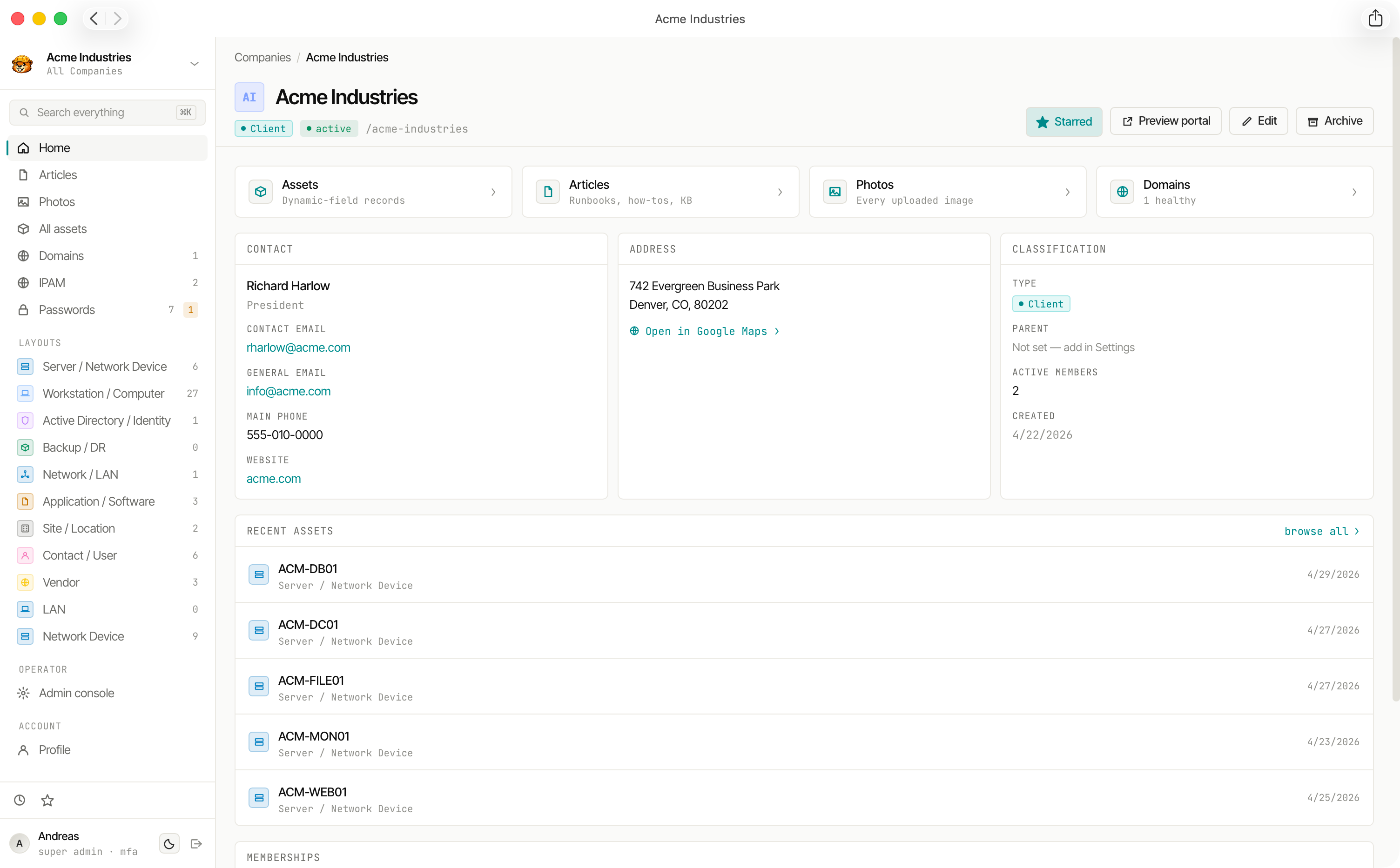
Company Record Fields
Company Types
The type field classifies tenants for filtering and reporting:
Parent-Child Hierarchy
Companies can be nested under a parent company to model organisational structure (e.g. a corporate parent with subsidiary sites). Cycle prevention is enforced — a company cannot be its own ancestor.
Starred Companies
Operators can star companies to pin them to their personal dashboard. Starred companies appear prominently in the navigation for quick access.
Sticky notes
Each company can have a sticky note: a short reminder that stays visible while you work in that tenant’s admin area. Configure it under Company → Settings, in the Sticky note panel:
- Severity — Info, Warning, or Critical (banner colour and emphasis; Critical is announced to screen readers as an alert).
- Message — Plain text only (no rich formatting), maximum 300 characters. Leave it empty to hide the banner.
When a message is set, it appears as a coloured strip above the breadcrumbs on every admin page for that company, scroll-pinned with the header so the note and navigation stay together.
Configurable Terminology
The word "Company" is the default terminology but can be changed workspace-wide from Admin → Settings. Common alternatives:
- Client (MSP use case)
- Department (internal IT)
- Tenant (multi-tenanted SaaS)
- Site (physical locations)
- Organisation
- Custom (any term)
The terminology change is cosmetic — URL routes, API paths, and database columns remain company / companies regardless of the configured term.
Related Data
Every company is the parent of:
- Articles & Folders
- Assets
- Passwords
- Monitored Domains
- File Uploads
- Memberships (who has access)